
Set up and join an ARK: Survival Ascended dedicated server
Install the ARK: Survival Ascended server with SteamCMD, set GameUserSettings.ini, open UDP port 7777, join it, become admin and move your world onto it.
An ARK: Survival Ascended dedicated server keeps your tribe's world running when everyone logs off. It's a free download from Steam. The server is a Windows program, so on Linux it runs under Proton or Wine.
1. Install the server
Use SteamCMD; the server needs no Steam account. On Linux, ask for the Windows files:
steamcmd +@sSteamCmdForcePlatformType windows +force_install_dir /opt/ark +login anonymous +app_update 2430930 validate +quitThe download is about 12 GB. Run the same command again to update the server; players can only join a server on the same version as their game.
2. Set the name and passwords
The server reads ShooterGame/Saved/Config/WindowsServer/GameUserSettings.ini, which its first start creates. These lines are the ones to set first:
[ServerSettings]
ServerPassword=
ServerAdminPassword=change-me
RCONEnabled=True
RCONPort=27020

[SessionSettings]
SessionName=My ARK server

[/Script/Engine.GameSession]
MaxPlayers=10SessionName: the name players search for in the server list.ServerPassword: what players type to join. Leave it empty for an open server.ServerAdminPassword: players typeEnableCheatsand this password in the console to become admin. RCON uses it too.
Rates such as XPMultiplier, TamingSpeedMultiplier and HarvestAmountMultiplier go under [ServerSettings]. Breeding rates such as BabyMatureSpeedMultiplier go in Game.ini beside it, under [/script/shootergame.shootergamemode]; the server doesn't create that file, so make it. The server rewrites GameUserSettings.ini when it shuts down, so edit it while the server is stopped. The settings generator writes both files for you.
3. Start it
From ShooterGame/Binaries/Win64, start the server with the map first, then the options:
ArkAscendedServer.exe "TheIsland_WP?listen?Port=7777" -WinLiveMaxPlayers=10 On Linux, put proton run or wine in front. The other maps are ScorchedEarth_WP, TheCenter_WP, Aberration_WP, Extinction_WP, Ragnarok_WP and Valguero_WP. The log, in ShooterGame/Saved/Logs/ShooterGame.log, prints Full Startup once the engine is up, and players can join once it says Server has completed startup and is now advertising for join. That took 70 to 90 seconds on The Island in our tests.
4. Open the port
Players connect on the UDP game port, 7777 unless you set Port. Forward it on your router and allow it in your firewall. Keep the RCON port, 27020 here, closed to the internet; use it from the same machine.
5. Stop it without losing progress
The server saves every 15 minutes by default. Before stopping it, save: over RCON, SaveWorld answers World Saved, and DoExit saves once more and shuts the server down, which took about 25 seconds in our tests. Killing the process loses everything since the last save.
How much memory it needs
ARK loads the whole map into memory. Before anyone joined, The Island used 10.3 GB and Scorched Earth 7.1 GB, with about a third of a CPU core busy. The world grows with every base and tamed creature, so plan for 12 GB or more for a small tribe on The Island.
Where the world is saved
Each map keeps its own world in ShooterGame/Saved/SavedArks/<map>/, such as SavedArks/TheIsland_WP/TheIsland_WP.ark. The server keeps rolling backups beside it as .arkrbf files. Bans are kept in BanList.txt beside the server program, in ShooterGame/Binaries/Win64. To move a world, see moving your world to a server.
Join an ARK: Survival Ascended dedicated server
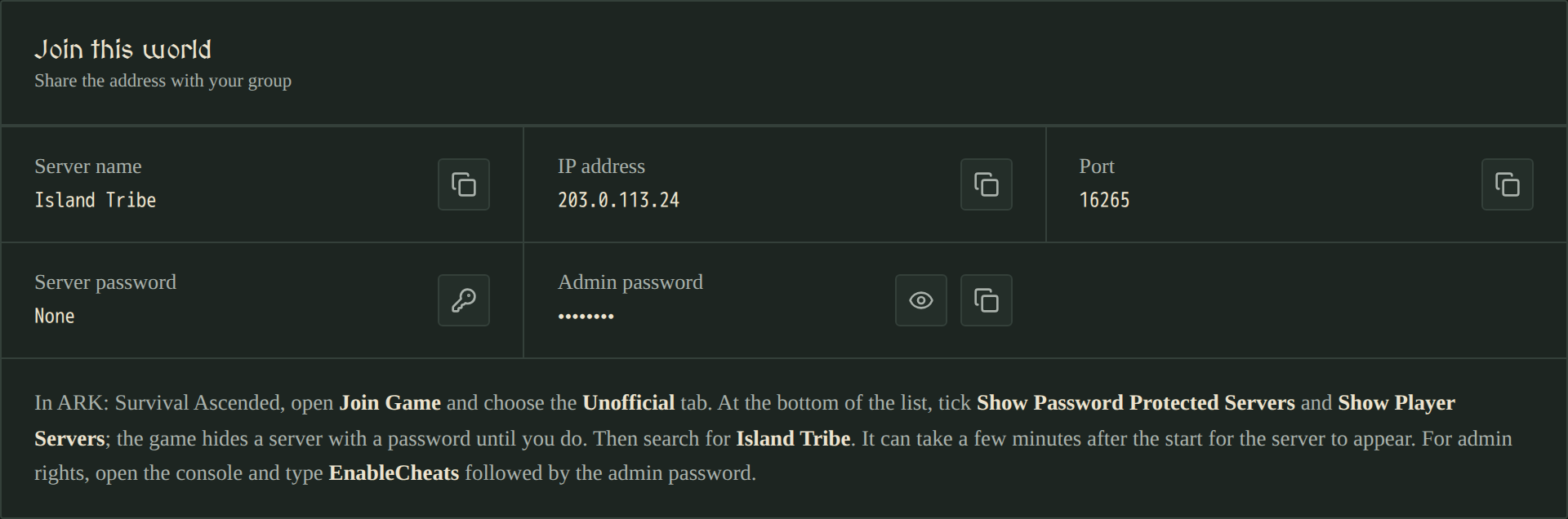
You need the server's name, as the host set it, and its password if it has one. A dedicated server isn't one of the official servers: you find it among the unofficial ones.
Find the server and join
- From the main menu, open Join Game.
- Look in the unofficial servers.
- Search for the server's name.
- If the server has a password, show password-protected servers, then type the password when the game asks for it.
- Pick a spawn point and make your survivor.
A server that just started can take a few minutes to appear in the list, after it finishes loading its map.
On a modded server, the game downloads the server's mods as you join, so the first join takes longer. See adding mods to an ARK server.
Become admin
Open the console and type EnableCheats, a space and the server's admin password. Admins can then run admin commands, each with cheat in front, such as cheat GiveCreativeMode or cheat fly. Without that word the game ignores them on a server.
If you can't get in
- The server isn't in the list
- Check that you are looking at unofficial servers and showing password-protected ones, and that the name matches. Wait a few minutes if the server just started.
- The game says your version doesn't match
- Update ARK: Survival Ascended, then try again. If you're already up to date, the host needs to update the server and restart it.
- Wrong password
- Passwords are case-sensitive; ask the host for the current one.
- The server is full
- The server is at its player limit; ask the host to raise it.
- You're banned
- Your account is in the server's
BanList.txt; ask an admin to remove you.
On HostForge
Your server's Overview shows the server name, address, password and admin password, each with a copy button, and the steps to join. Every ARK server is listed in the game, so set a password to keep it to your tribe. HostForge keeps the server on the current game version, so a version mismatch usually means your game needs updating.
Move your ARK: Survival Ascended world to a server
Moving an ARK: Survival Ascended world means copying one map's save folder from the old server to the new one. Tribes, tamed creatures and bases come with it.
1. Find the world
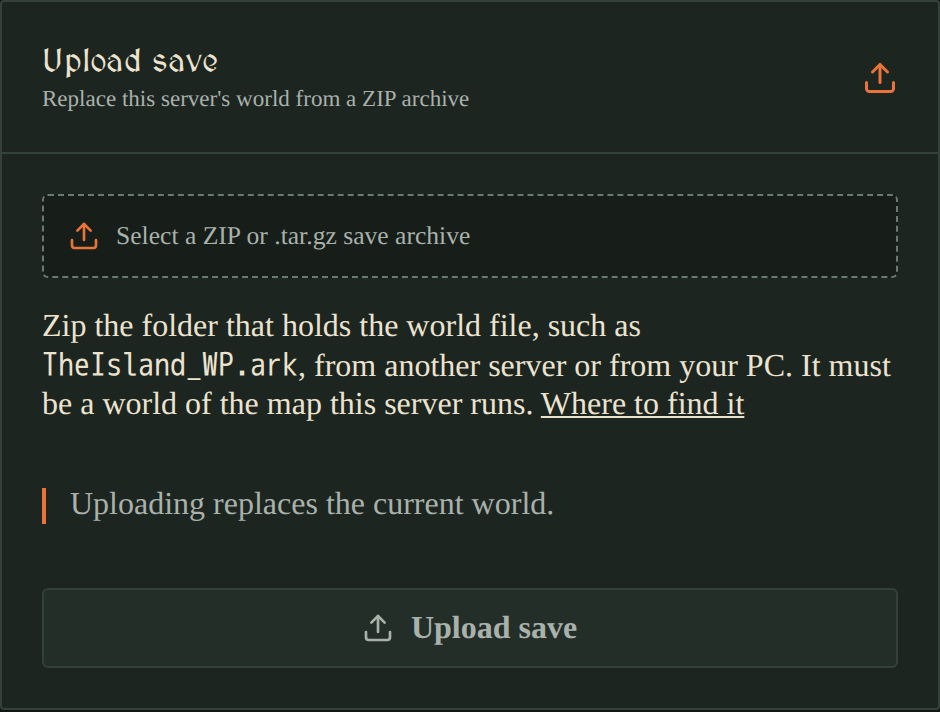
On a dedicated server, each map keeps its world in ShooterGame/Saved/SavedArks/<map>/. The world itself is one file named after the map, such as TheIsland_WP.ark or ScorchedEarth_WP.ark. Hosts with a file manager usually show the same folder. Stop the server first, or save with SaveWorld, so the file is current.
2. Copy the right files
- The map's
.arkfile. This is the world. - Any
.arkprofileand.arktribefiles in the same folder, if it has them. - Leave out the
.arkrbffiles: they are the old server's rolling backups.
The map must match. A server loads the world of the map it starts with, so a Scorched Earth world needs a server started on ScorchedEarth_WP. Worlds from ARK: Survival Evolved, named like TheIsland.ark, can't be loaded by ARK: Survival Ascended.
3. Put it on the new server
With the new server stopped, copy the files into its SavedArks/<map>/ folder, replacing what is there, then start it on the same map. The log takes longer to reach Full Startup when it loads a saved world than when it makes a new one.
On HostForge
Choose the same map in your server's Settings, stop the server, then open Save and upload a ZIP of the map's save folder, or a .tar.gz backup from another host. HostForge installs the world and its player and tribe files, leaves out the rolling backups, and tells you if the world is of another map. You can download the world as a ZIP at any time.
Skip the setup
HostForge runs the server for you: pick a region, a map and your rates, and it writes GameUserSettings.ini and Game.ini, opens the port, saves the world over RCON before every stop, keeps the server on the current game version and backs the world up daily. Your edits to GameUserSettings.ini, Game.ini and BanList.txt stay under Configuration files, and the Console tab runs admin commands.
Players join as described in joining an ARK: Survival Ascended server.